
Computers are not good at predicting your intentions. Any time you insert a CD, DVD or USB drive, the operating system looks at the content on the media and gives a “best guess” as to what you want to do. Then a window pops up listing of things you probably don’t want to do.
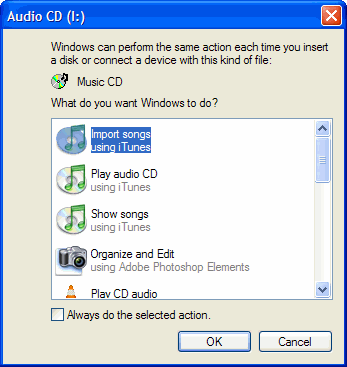
I would say my computer selects what I want about one time out of a thousand. The computer takes my valuable time to give me a list of things I don’t want to do. If the computer were not trying to calculate my every move, I could be doing what I want to do.
This is why I turn Autorun OFF. Here is a Microsoft link that tells you how to do this.
http://support.microsoft.com/KB/126025
Personally, I use TweakUI to turn off the Autorun “feature” of Windows.
TSPY=3.98
1 Response to Efficiency Tip #33 – Autorun