
Today, it is rare to find a computer not connected to a network. Keep your network properties in view all the time by placing its icon in the notification area.
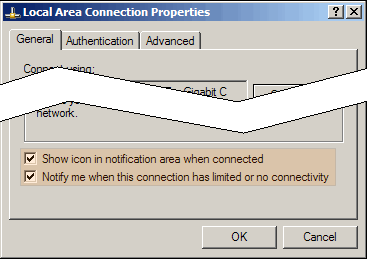
To do this, go to Network Connections in the Control Panel. Right-click your network connection (Local Area Connection for wired – Wireless for Wireless). The graphic above will pop up. Check the Show Icon box highlighted in the graphic. You should also check the Notify Me box so that problems generate a warning.
Now your network status will always be in the bottom corner of your screen. If your DHCP server has a problem, your wire becomes disconnected… or any other problem occurs, you will see a warning instantly.
TSPY=0.50
1 Response to Efficiency Tip #64 – Network Properties