
As I said before, I don’t use the desktop to store files. I keep just one shortcut on my desktop. This doesn’t stop Windows from running the Desktop Cleanup Wizard every couple of months. That’s when this screen pops up and tries to remove anything I have not used “recently” from my desktop. The killer thing… it wants to create a new folder on my desktop called “Unused Desktop Shortcuts” and place all the “unused” icons in there.
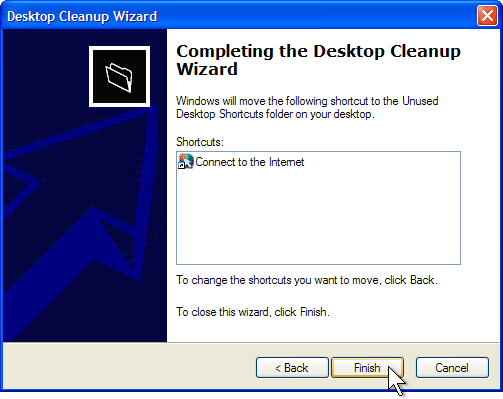
For all I know, after another 60 days it might ask to remove the folder it created to hold the icons I don’t use.
1 – Don’t use your desktop to store files.
2 – If you break rule #1, you don’t want to be bothered by this utility that is continuously running in the background waiting to pounce on the 60th day.
Here are instructions to turn it off.
http://support.microsoft.com/kb/320154
TSPY=0.06
I’m curious…what shortcut do you have on your desktop? I am the same way. I don’t have anything on the desktop.
I have a shortcut to
C:\INETPUB\WWWROOT
My personal machine is the “test” web server. Whenever I need to get to the web folder quickly from any application, I browse to the Desktop and double-click the shortcut. It is by far the fastest way to get there.