
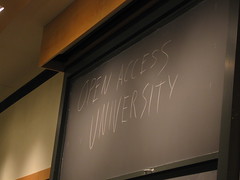
 I talked about MIT’s OpenCourseWare project last year in my eTech presentation. This is a great resource if you are interesting in the content of a college course. MIT has placed many (I have heard people say “all”) courses online and has made them available to the general public for free.
Last year, I needed a quick thermodynamics refresher, so I downloaded the class notes from a Physical Chemistry course. The PDF’ed lecture notes were clear with pictures, equations and definitions. There were also assignments and a complete syllabus in case I wanted to work a few problems or take the whole course.
In fact, everything was there except the faculty person. MIT makes these courses available because they know students out there want the information in the courses, but may not have the chance to take a course at MIT.
Today the MIT president announced that a new high school portal called Highlights for High School is being developed. This initiative will give high school students and teachers resources for advanced courses. It turns out that about 15,000 high school students are currently downloading MIT course materials each month. It was speculated that many secondary students do not have advanced course offering because of the reduction in funding of gifted and talented programs. The Highlights for High School program is designed for these students.
I like the motto of the program: Unlocking knowledge, empowering minds.
 TechSmith is offering two popular titles as free downloads. Both
  I have been a fan of the Brain Age and Big Brain Academy games on the Nintendo DS. So I wasn’t surprised when someone in my family gave us the Wii version of Big Brain as a Christmas gift.
 I am still have problems with Vista. If I weren’t in the middle of a semester, I would dump it tomorrow, but it will have to wait until Christmas.