 Here’s an article in techLearning that talks about dealing with copyright. The article mentions Google Images by name.
This service from Google takes advantage of all the pictures “found” by Google’s web crawler. From the image search box, a picture of almost anything can be found. Need a picture of an “aorta” for a science project? Google Images has half a million of them.
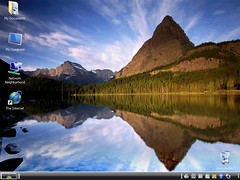
The problem is, most of them have “all rights reserved” by the copyright owner. It can also be difficult to tell a “all rights reserved” picture from one with “some” rights reserved. Many professional photographers will place a copyright notice right on the picture as I have done on the inset photo. If you look closely, I used a straight white font at the top and a watermark at the bottom (click for larger version).
I uploaded this photo to Flickr and linked to it from by blog. For the copyright conscience person working on a science project, Flickr has its own challenges. Every minute there are several thousand photos uploaded to Flickr. That totals a couple million every day. By default, uploaded photos are designated “all rights reserved.” Many people that may want to share their photos may not be aware of the Create Commons option built into Flickr. All the different CC options are available. I usually make all my photos available using the CC – Attribution license. Some times I forget and don’t switch from “all rights reserved.” I’m certain other people do the same.
To muddy the water even more, it is easy to embed a Flickr photo into a blog, even if the photo is completely protected by a full copyright. This is done by copying the code for the link into a blog post instead of downloading the photo and using a “personal” copy of the file. I haven’t found the perfect analogy to relate this in a non-HTML way. The closest I have come is my “neighbor” example.
When I was growing up, my neighbor painted a picture on the back of her garage. It was an eight-foot tall cartoon of some sort (she was an elementary teacher). From my bedroom window I could see this picture which was protected by copyright law. When my friends were in my room, we could “enjoy” this picture as much as any other picture hanging my the walls even though I didn’t have permission from the copyright owner to view it in my room.
It can be dangerous to embed external photos in your web site. The owner of the photo has the ability to change the photo. I have seen people end up with an inappropriate photo after the copyright owner swapped out the picture on the site hosting the photo. A more common occurrence is the deletion of the original. The person “using” the image ends up with a broken icon on a web page.
One of the final options listed in the techLearning article is to create your own graphics. I wish more people could do this. I could come up with a list of ten pieces of clip art that I have seen in more than a hundred presentations. Use of any stickman clip art, especially the one with the lightbulb over his head, is grounds for instant failure in my courses.

 eSchool News has a series of videos covering a wide number of topics in educational technology.
 I ran across
  The scores are in. According to my classes, the most important person in educational technology is Bill Gates. A distant second was Steve Jobs followed closely by Tim Berners-Lee.