We use Google Apps For Educators (GAFE) in many of our classes at The University of Findlay. Due to the popularity of Gmail, many students already have a person Gmail account in addition to the GAFE account through The University.
When I share a document with a group of students, I end up getting a flurry of emails that look like this.
Request to share
Edtech Class Document
You are the owner of this item and StudentPersonalAccount@gmail.com has asked that you share this item with:
StudentPersonalAccount@gmail.com
Add these people in Sharing settings.
I share the documents with the student’s UF account, but the student is logged in with a personal account. I have setup a shortcut to the UF login page
http://bit.ly/UFLOGIN
Going through the UFNet login is complicated. We don’t actually use Gmail for UF email. Because it takes between four and six clicks, it is easy to get into a loop before getting logged into UF’s network.
Google has a fix for this problem. Using the Google Account Chooser, you can tell Google to permit multiple accounts to access one account’s files.
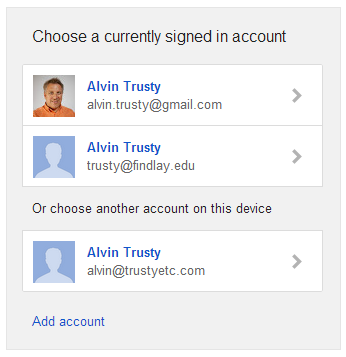
https://accounts.google.com/AccountChooser
Add your personal and school accounts to the list and both will be able to access documents without the bother of the login loop.
