Bill Gates’s Last Day

Today is retirement day for Bill Gates.  Now his focus will shift from Microsoft to giving away more than 99% of his money.  In case you are wondering, 1% of 50 billion dollars will still leave 500 million dollars.  Most people could scrape an existence out of that for a few thousand years.

Here is the video from CES earlier this year.  I imagine it will get a lot of air time today.

Here is the (slightly more serious) video tribute from Microsoft’s site.

http://www.microsoft.com/presspass/exec/billg/videos/

Posted in leisure | Tagged , | Comments Off on Bill Gates’s Last Day

Congratulations Drew!

Here’s to my nephew for doing what no other Trusty has done before… run really fast for a long distance.  Yesterday he placed seventh in the state of Ohio in the two mile run.  Actually, in these modern times it’s called the 3200 meter run, but two miles sounds like a much more difficult distance.

The pictures are from the HG10 in regular movie mode.  I dumped the movie files into Sony Vegas and did screen captures of individual frames.  I recorded in 1920x1080p mode to get the best resolution.  After the fact I realized that the default shutter speed isn’t ideal for outdoor sporting events.  Fortunately Drew is only a freshman, so I will get several more chances at this.

Best line of the day, spoken by an unnamed second grader.  After six laps, when Drew was quite a ways behind the leader, she says, “Why doesn’t he just run faster?”

Posted in leisure | Tagged , | Comments Off on Congratulations Drew!

3D Disney on Google Earth

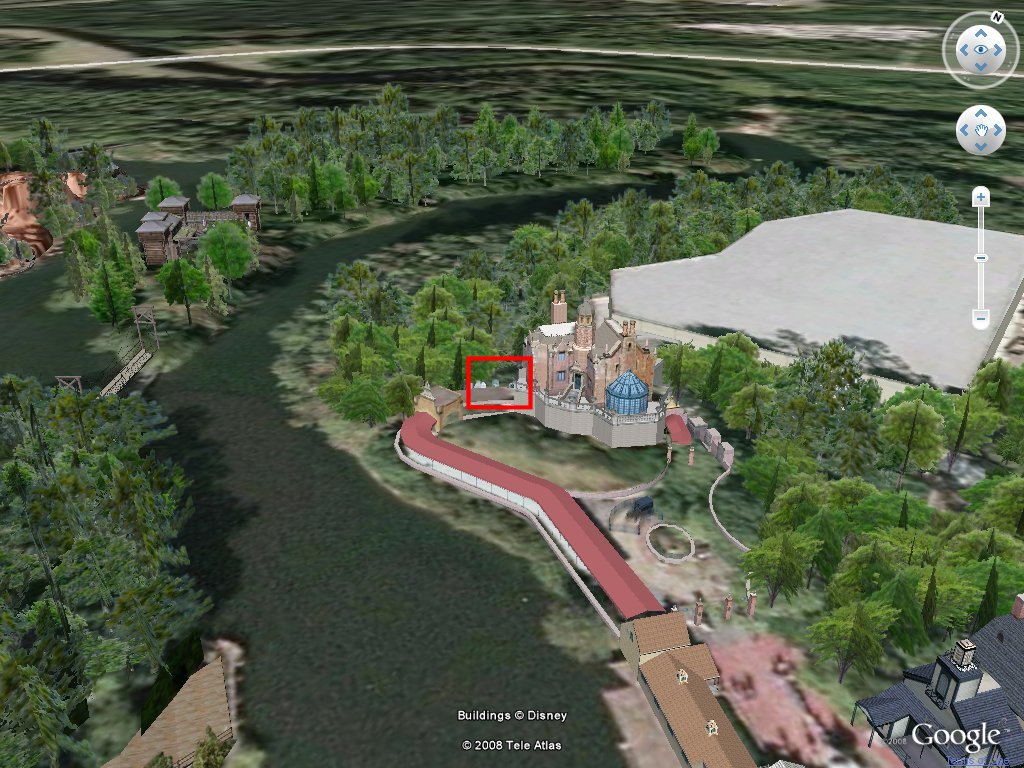
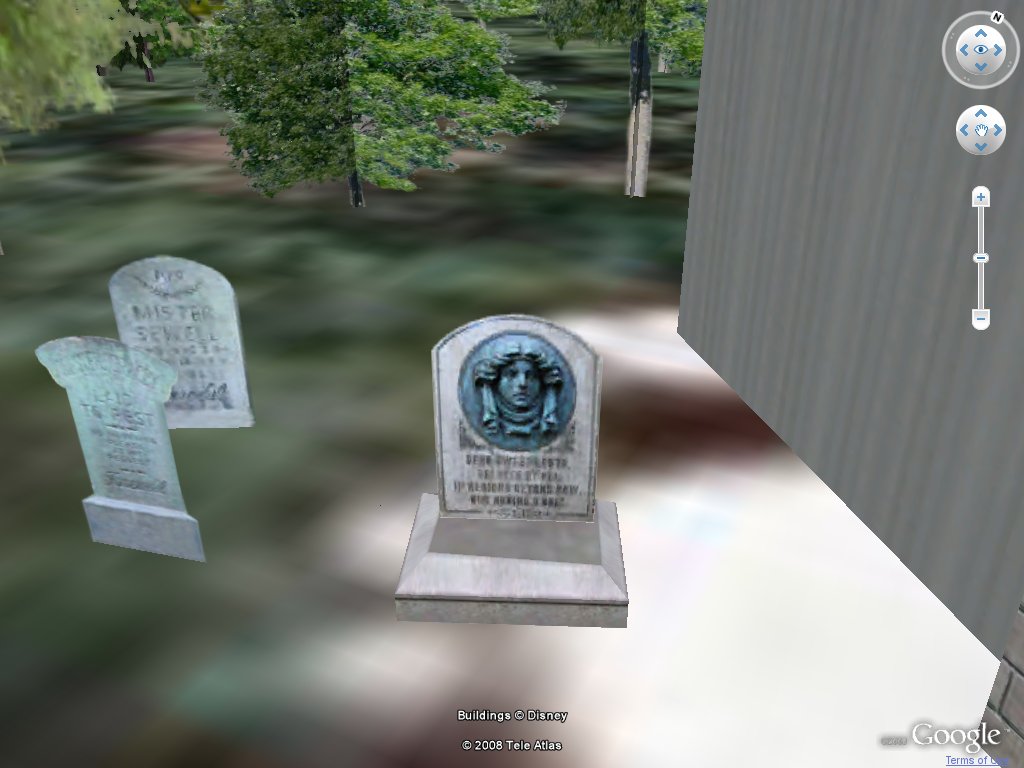
SketchUp has incredible educational potential.  Using free tools available from Google, Disney has added a 3D layer over the entire Disney World property.  Every building, sidewalk and tree has been drawn in detail.  Above is a picture of the haunted house.  This is a must-see attraction at the Magic Kingdom.  As you enter the building, there are tombstones with funny names and one with a picture of a face with eyes that move.  Zoom in on Google Earth and you can see it below.  Click either picture for higher resolution images.

Think of the geography, mapping, history, architecture, engineering (the list is huge) projects that students could do with these free tools.  Students could recreate a 3D version of the local school, post office, court house and other significant government buildings.  Historical locations could also be added.

These locations would have to be researched.  Community officials would be interviewed.  Measurements would be taken.  Students would learn to use the construction tools available from Google and collaboratively place objects in correct locations.

Layers representing different time periods could be constructed.  Students could see what occupies spaces once used by historical buildings.  This could be a lot of fun… and a learning experience too.

Posted in edtech | Tagged , , , , , , | 5 Comments

Efficiency Tip #106 – Shift-Right-Click CMD

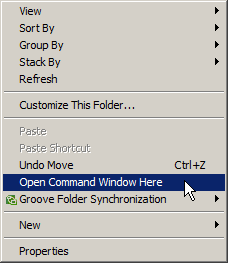
rightclickcmd.pngHere is a short-cut that helps to solve a technical problem I have had for years.

There is no easy way to quickly create multiple folders.  Using the mouse requires a click on the New sub-menu and then selecting Folder from a long list of possibilities.  If you need to create multiple folders, it’s too slow.

Since the ’80s, the quickest way to make a folder utilizes the MD command.

md folder1
md folder2
md folder3

But the MD command requires the command prompt.  Before this short-cut, getting to the command prompt in a deep folder required a lot of typing. 

1 – go to the command prompt
2 – change to the desired drive
3 – CD to the correct folder

In Vista, a new Shift-Right-Click item has been added to Explorer.  From any folder a shift-right-click will give the option to open a command prompt in the current folder.

TSPY=2.29

Posted in edtech, efficiency | Tagged , , , , | Comments Off on Efficiency Tip #106 – Shift-Right-Click CMD

I’m on the Mesh

livemesh.png 

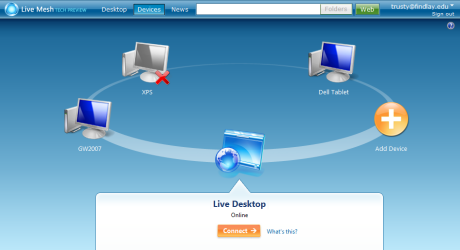
Recently I talked about keeping several computers, in different locations up-to-date with the latest versions of my files.  Microsoft’s Mesh has solved this problem.  Yesterday, I received my invitation to participate in the closed beta.  I didn’t have to pull any strings or call in favors to get the invite.  I went to the web site, filled out the request and waited for a few days.  It was worth the wait.

Once I had the account, I logged into the Mesh site.  I was presented with the picture above (without my computers that have been added).  I went to each of my computers and clicked the Add Device button.  A system tray program was installed and that computer was a part of my mesh.

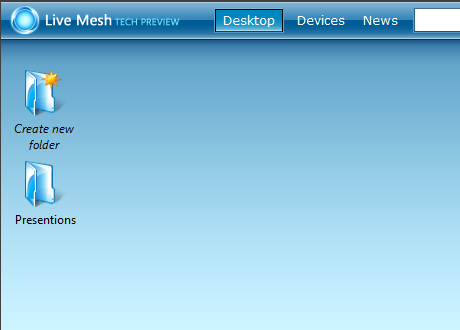
livemeshicon.pngNext I went to my Live Desktop.  This is where I can share resources between computers.  By clicking the Create New Folder icon a “mesh-share” is automatically created and shared among all the computers in my mesh.  A short-cut to this share is added to my desktop and any files dropped into that folder are automatically synchronized on each computer in my mesh.

I started with my presentations, since I have a lot of them.  I copied them into a mesh-share called Presentations.  Here is where it gets really cool.  From another computer I opened a PowerPoint that was in the mesh-share.  I didn’t copy it to the computer; I merely opened it.  I made an adjustment and saved it.  The final version was instantly available to all the machines in my mesh.
livemeshdesktop.png

In Windows Explorer, a new right-click item is added to the menu.  It’s called “add folder to live mesh” and it permits any mesh member to synchronize a local folder with other computers on the mesh.

On top of the file synchronization, mesh adds a remote control feature to any computer on the mesh.  I can already do this with a combination of VNC and Hamachi.  I did test out the feature in mesh just to see how it works.  It was slower than VNC.  I also had a problem connecting to my home desktop with dual monitors.  The remote display was resized to the equivalent of one screen (half the normal size).  There may be a way to fix this, but I didn’t see the need to invest the time to research it as this remote control solution will be a backup for what I already use.

I am still playing around with all the features of Microsoft Mesh.  I will certainly add a post as I become more proficient in its use.

Posted in edtech, efficiency | Tagged , , , , , | 2 Comments