I switched blog servers a year or two ago and never updated the latest version to be licensed under a Creative Commons license.
The whole process is fairly simple.
1 – Decide on the license you want to use. I decided that anyone could use my work for anything except commercial use. I don’t plan to make money with anything on my blog, but if someone does figure out a way to monetize this thing, they will have to get special permission from me to use my stuff. That’s one of the nice things about Creative Commons. Anyone can use my work for anything non-commercial, but if someone does want to go through the traditional process of getting my permission, they can (only with my permission) use my work commercially.
The list of Creative Commons licenses is here.
2 – Edit your blog footer. This is little more complicated. Start by copying the HTML from the Creative Commons license page. All the HTML is provided. High light it and copy. Then open your blog’s footer. You can find this in the dashboard under the Presentation menu.
Presentation – Theme Editor
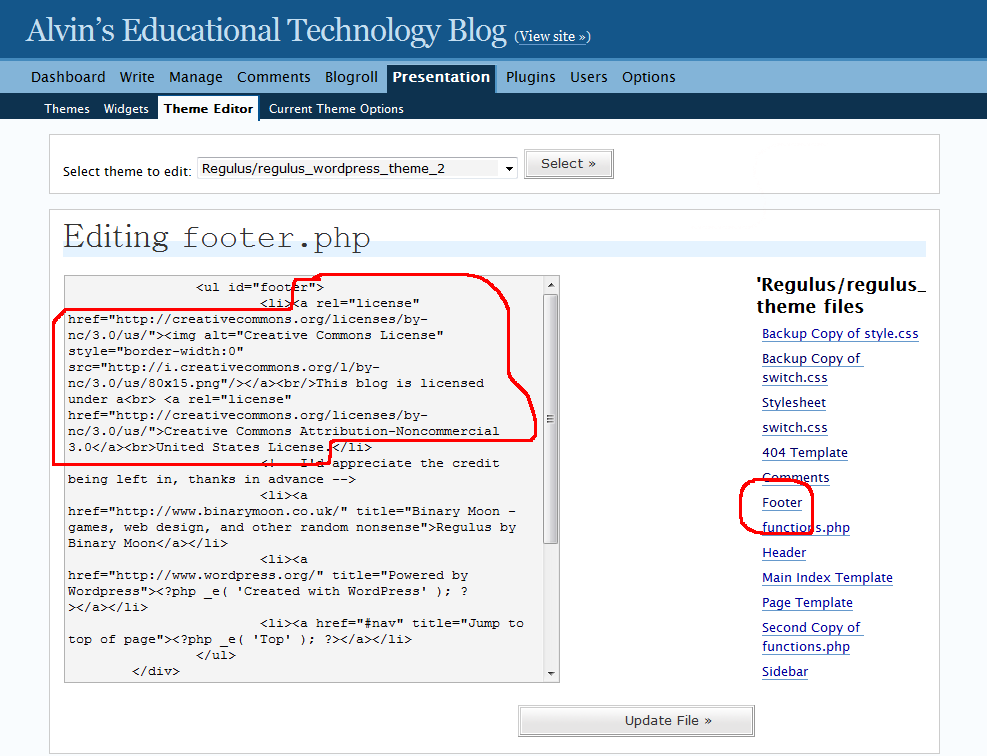
and select Footer from the menu on the right side of the page. See picture below. Click for larger picture.
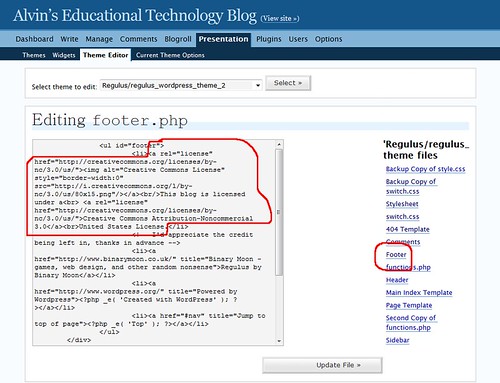
I have circled the link to the footer in the right menu. When you click this link, the code for the footer will show up in the edit window on the left. This is where the “be careful at this point” comes in.
What I did to protect myself from a full meltdown is high light all the foot code, copy it and paste it into a Notepad file for safe keeping. If things get totally messed up, that original code can be pasted back into the edit window.
To add the Creative Commons license code to your blog, find where the original copyright information is and delete it out. In its place, paste the code from the CC site. I have circled this in red in the picture above. Click the Update File button to save your work.
3 – Take a look at your blog to ensure the footer is correct. Remember, you can always go back to the original code if you need to.

 I have been getting a lot of comment spam on my blog. I don’t want to restrict posting only to those that have gone through the (sometimes tedious) process of setting up an account on my server. There is a place for that, but not on my blog.
 becomes
 I talked about the