
 There is an article in eSchool News today about fair use. I think this topic is so misunderstood by teachers that I’ve decided to talk about it at next year’s tech conference.
When a teacher doesn’t understand copyright and ‘fair use’ of copyright protected materials, it is not only a potential crime, it is also a disservice to the students. The problem is hardly a “teacher” problem, as most districts have nothing more than vague guidelines for teachers to follow… if anything at all.
The eSchool News talks about a “Statement of Best Practices in Fair Use” established by documentary filmmakers. It would be great if Ohio’s schools had a similar document. There are some “guides” out there:
http://www.halldavidson.net/copyrightchart.html
http://www.copyrightkids.org/
http://www.techlearning.com/db_area/archives/TL/2002/10/copyright.php
We need something we can put into the hands of every teacher. Some thing like the University gave me.
 If you are looking for another free plagiarism tool, take a look at
  This week at the National School Boards Association’s Technology and Leadership Conference,
  Last night the College of Education hosted
 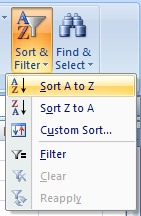 Here are some simple rules to keep in mind when sorting data in Excel.
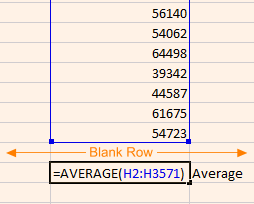 4 – If you have data that you do not want to be sorted, create a blank row or column between the area that you want sorted and the area you don’t want sorted. This is handy if you have a calculation at the bottom of a column and you don’t want the calculated value to get mixed with the data in the next sort. Instead of placing the calculation in the first available cell under the column, skip one cell leaving a blank row.