 I have some students interested in doing a podcast, and the first question is, “how do we make the MP3 file?”
When I was a kid, everyone used cassette tapes to record almost all non-professional audio. The recorders were cheap, so everyone had one.
With digital music there are many different ways to record audio. Ultimately, the idea is to get the audio into some sort of compressed audio format, like MP3. There are many paths that can lead to that digital file.
The easiest way to create digital audio is to open your laptop, start the built-in audio recorder and talk into the built-in microphone. Most laptops have a built-in microphone. It doesn’t usually create the highest quality recordings, but in a pinch it will get the job done.
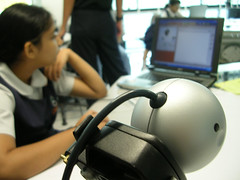
The next step in producing a higher quality audio file is adding an external microphone and using more complex audio recording software. I have several headset microphones. Some of them use the microphone jack on the computer while others use a USB connection. The USB microphones are higher quality, but cost more. You can buy headset microphones just about anywhere. Here is a $15 set from Wal-Mart:
http://www.walmart.com/catalog/product.do?product_id=4064455
On the software side, the most popular free program is Audacity. It’s free, feature-rich and runs on any platform. The software can be used to record audio input, edit that input (cut, copy, splice) and finally save the audio as a digital file in a variety of formats including MP3.
If your podcast has multiple people, a “group” microphone can be used, but a more common practice is to use a service like Skype. Using this free service, multiple people can connect their computers over the Internet for an audio conversation. There are many ways to record Skype calls. Some are free.
Using a service like Skype permits an audio conversation that is not bound by geography. Participants from around the world can connect to the same session.
There is one last method of recording digital audio. There are pieces of hardware that can record without the use of a computer. I have an iRiver MP3 player (see picture above) that has a microphone jack. With this small device, I can record a live “man on the street” interview without the hassle of a bulky computer.
In the classroom, I use a Panasonic RR-US395 to record my voice. This is a dedicated digital recorder with a built-in microphone as well as a microphone jack for a lapel microphone. The software with the device can save live recordings as MP3 files on my computer via a USB connector.

 I just heard a presentation on
  Recording a podcast is only half of the process. Yesterday I talked about creating an MP3 file, but once you have that file, you need to get it to someone interested in hearing it. If you have your own server, you can upload your MP3 file and make it available just as you would any HTML file. If you don’t have a web server, there are many free options available. Here are a few: