 Every fall I teach an Internet development online course. One activity in the class deals with creating simple graphics for web pages: banner, background, transparency, animated gif and graphical buttons.
These graphics are placed on a web site developed as part of the course. I don’t cover specific use of programs: FrontPage, DreamWeaver, PhotoShop, etc. The students are free to use whatever is available to them. The web development side is never a problem. I know enough about most HTML editors that I can help students through most problems that are unique to each editor.
Graphics are a different story. Few students have a good graphics program or the knowledge of using one. I can’t ask them to go out and buy a $70 copy of PaintShop Pro let alone a copy of PhotoShop.
This year I decided to try GIMP. It’s a free, open source, photo retouching, image composition and image authoring program. It is as close as you can get to PhotoShop without spending any money.
There was only one problem with my plan; I had never used GIMP before. I was sure I had downloaded and installed it several times, but I had never spend an hour trying to use it to create something.
I blocked out a little time and dove in. I was surprised how easy it was to do fairly sophisticated image editing. Within two hours I had created all the graphics for the class activity. On top of that, I felt good enough about my skills that I did an interactive session with my class and showed them how to use the GIMP. I prefaced the session with, “I have only used this program for two hours, so I might not be able to answer questions about advanced use of the tools.”
It went pretty well. I recorded the session in Elluminate so it could be reviewed as the students worked with the software.
The GIMP web site has many tutorials. I reviewed some of them as I learned how to use GIMP to create an animated GIF (the only thing I couldn’t figure out on my own). The tutorials are divided into Beginner, Intermediate and Expert.
For a free program, the GIMP is a great application. Many of the processes used in GIMP are identical to those used in PhotoShop. For a student, it’s a powerful program to learn the basics of image manipulation.

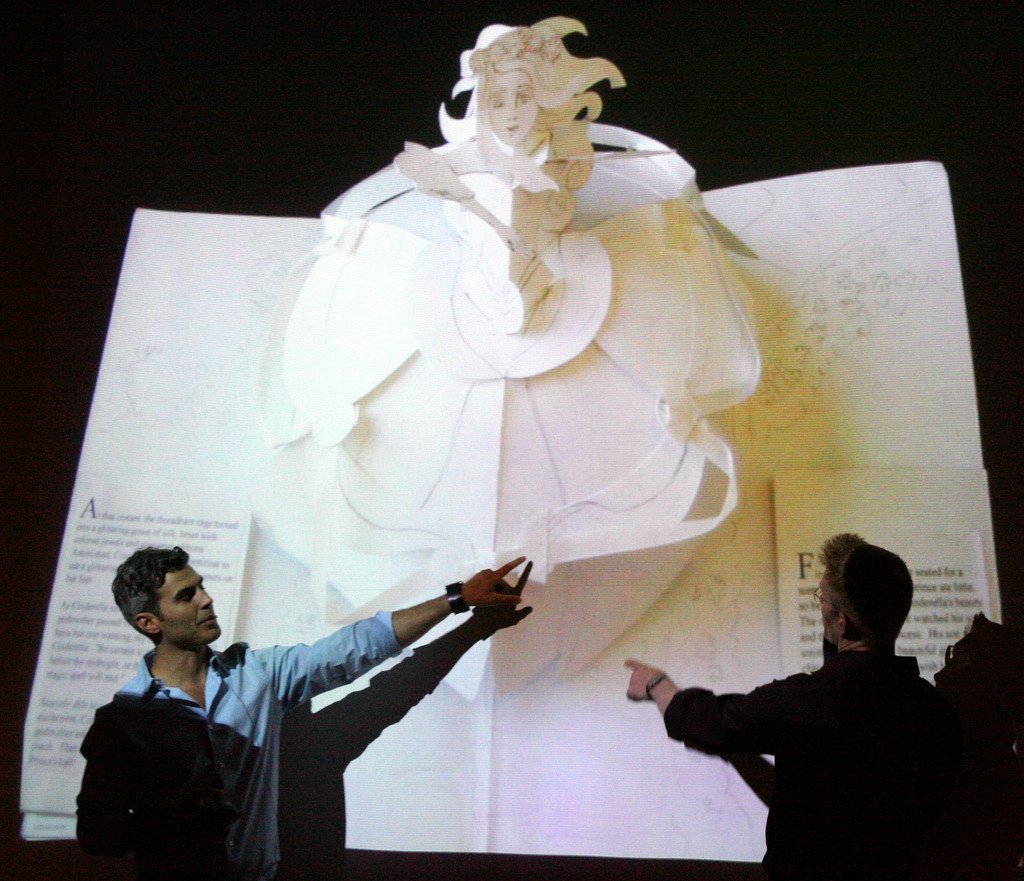 Today was the 25 year celebration for the Mazza Museum the world’s first and largest teaching museum devoted to literacy and the art of children’s picture books. The featured presenters were pop-up book artists Robert Sabuda and Matthew Reinhart.
 I was helping one of my kids with some physics homework today and needed a simulation of projectile motion. I remembered a nice set of physics simulations I had used a few years ago. I typed “physics simulations” into Google and the site was at the top of the list.
 The World Intellectual Property Organization (WIPO) has released its second “
 One of the most common questions I’m asked in class is, “should I save this to my USB drive?” I have never answered the question with anything other than an affirmative.