In 1999 I was doing a road show with about twenty laptops. I would roll into town, setup and do a workshop for tech coordinators. The topics varied widely. I carried a case of CDs with Ghost images. The morning of the workshop I would re-image all the machines for that day’s workshop. The night before this particular workshop one of my kids got into one of my cases and took out the CD holder with all my images. I had no idea this had happened until I was about 100 miles from my house and my cell phone rang.
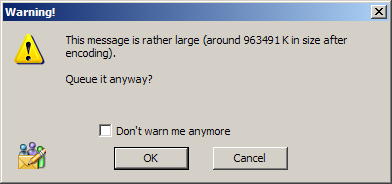
At this point I could either turn around and go back home or I could figure out a way to get a 600MB file to where I was going. Fortunately I had a cable modem at home. I talked someone through the process of placing the CD into a computer, connecting to an FTP server and starting the upload of the image. Two hours later, when I arrived at my destination, the upload was about half way finished. Once the big file was uploaded, I started the download. It didn’t take nearly as long to download the file. By bed time I had the image and tested it by pushing it out to a machine.
Knowing how to FTP saved me from spending an extra three hours in the car.
I teach a class where students learn to troubleshoot and do networking. It’s online. Each student has a computer at my office. The students never come to my office. Using remote control software (VNC), each student demonstrates software installation and troubleshooting skills. At the end of the semester I give them a chance to do some bonus work. One of the bonus problems is The Big File. I zip up 700MB of files into a zip file and place it on a server in my office. The goal for the student is to get that file from the server to a home or school computer.
There are a couple of things that make this problem difficult. The server is behind a firewall. No ports are open to the server. A share on the server gives the students Read access to the folder with the big file. The student PC is available only through the VNC port. The VNC computer can get out to the Internet.
It is interesting to watch all the different methods that are used to try and move that file. The instructions clearly state that emailing the file to a school email server is something that should first be approved by the email server administrator. There’s nothing like a 700MB file attachment to clog an email server.
With all the free services out there, I have seen the bonus accomplished dozens of different ways. I have also seen students break the big file into 700 little files and email them one at a time.
For the record… the most efficient way to do this one is to use Hamachi. This creates a virtual VPN. From there you can map a drive from the VNC computer right to your home computer. Drag. Drop. (Wait a few hours.) Done.

 Most programs have the ability to under the last change that was made. Some programs will even let you undo multiple mistakes. I have a few programs that will undo all the way back to the beginning of the project. No matter how far back a program will let you go, it will certainly let you get there by pressing Ctrl-Z.
 This one is just for
  The University of Findlay houses the
  The next time you need to close a few applications quickly, try Alt-F4. Use your left thumb to hold down the left Alt button while your left index finger presses the F4 button. The slow ineffecient way of doing this involves finding the mouse… clicking the File menu… clicking Close, Exit or Quit (whichever one you find).