Efficiency Tip #37 – Empty Cache

Back in the day, when most people only had dial-up access to the Internet, it was important for your browser to “remember” as much as possible about the sites you visited on a regular basis. This “browser memory” is called cache. Your browser saves a copy of graphics and static text in the form of cache on your hard drive. Over time, you can build up a large cache and your browser can’t sort through it as efficiently. Instead of speeding up your access to the Internet, it can slow it down.

If you find your browser taking a long time to process pages, it could be time to empty the cache.
browsercache.png

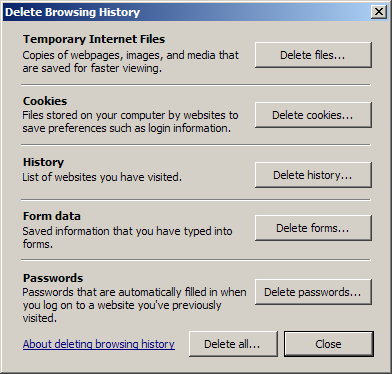
Find your computer’s “option” menu and look for a place to clear the cache.

Internet Explorer – Internet Options – General – Delete History
Firefox – Tools – Options – Privacy – Private Data – Clear Now

You will see several options when you clear the cache. I usually uncheck everything except “cache” because I want to retain my history and cookies. If you want your computer to remember your password, be sure to uncheck that box.

TSPY=0.09 to 3.01 (depends on size of cache)
Posted in edtech, efficiency | Tagged , | 1 Comment

Microsoft Coffee Table

At midnight last night, Microsoft announced something that looks more like an Apple technology than anything I have seen come out of Redmond in a while. It’s called Surface Computing and I still can’t find anything about it on the MS web site.

Here is a Popular Mechanics video showing the “coffee table” in action.Using wireless and other “invisible” technologies, the user can easily move files from device to device. The video shows how a photo can go from the camera, to the table and then to a PDA all with no wires using an interface that doesn’t require training.

Here is a TED video from last year showing Jeff Han, one of the developers of multi-touch screens. As the speaker emphasizes over and over… the interface disappears.

Posted in edtech | Tagged | 4 Comments

Google Goes 3D

Here is an incredible twist on geotagging.  Google maps have gone beyond virtual reality to actual reality.

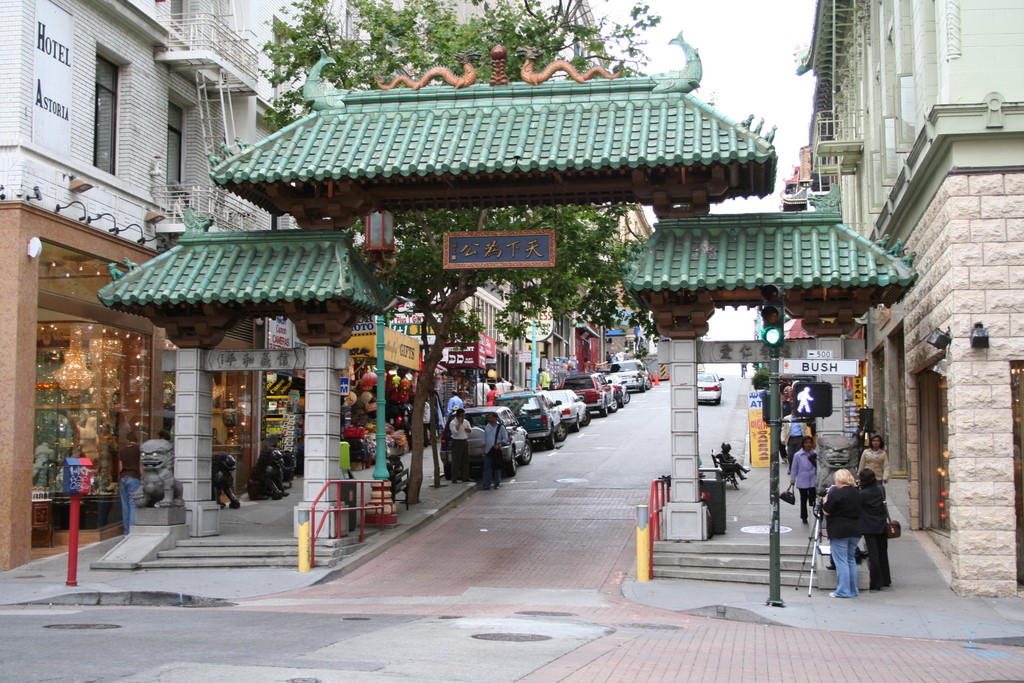
chinatown.jpg

Above is one of my photos from San Francisco. Follow this link to see the same picture along with active map components. Use your mouse to move the picture left and right. Your scroll wheel will zoom in and out. The opposite corner is home to a Starbucks where the wife and I had a cup of coffee.  If you follow Grant a couple of blocks south, the Weinstein Gallery has a couple of Picasso’s for sale in the front window.  The resolution is quite good considering Google took a picture of ever nook and cranny of the entire city.

The demo is limited to a few cities, but the database will certainly expand. Maybe they will have a DIY kit for those of us that live off the beaten path.

Posted in edtech | Tagged | 6 Comments

Efficiency Tip #36 – Never Turn It Off

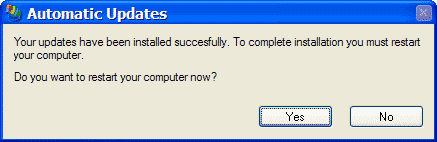
My computer gets rebooted the second Tuesday of each month.  That is the day Microsoft sends out updates and patches.  Installation of those files usually requires a reboot.  Other than that, I don’t turn my computer off.

Restart

There has been a long debate concerning leaving a computer on versus turn it off when not in use. Leaving the computer on uses electricity and keeps the machine hot (heat is not good for electronics). Turning the machine on creates a surge of electricity that is not good for the electronic components. Quickly turn your computer off and on fifty times to see what I mean.

If you followed the instructions in that last sentence, you are probably reading the rest of this post from another computer.

I have not turned off my computers (in general) for more than ten years. I don’t know if it has increased the life expectancy or not. My computers last as long as anyone else that I know. I do know that every time I do a reboot it takes five solid minutes to get to a point where I can use the computer. That alone is reason enough not to shutdown when I walk away from the computer.

TSPY=30.4

Posted in edtech, efficiency | Tagged , | 3 Comments

Holiday Cleanup

Old TechWith the day off we decided to do some spring cleaning.  My office tends to pile up over the school year.  Under my desk I found two seventeen inch CRTs and a color laser printer with no toner.  Some time during the last year I went to LCD monitors.  The old ones ended up under my desk.  The laser was my old HP 2500.  Last year when the toner cartridges needed replaced, I found a new 2550 for the same price as the replacement cartridges.  In addition to all new toner cartridges, the 2550 came with a one year warranty.

I can’t bear to throw this stuff away. It cost too much the first time around.  I do my best to recycle what I can.  I always have a (rather large) shelf in the garage with “take it if you can use it” stuff.  Last year I managed to find new homes for two or three monitors, an old computer case and an HP LaserJet 4 that needed a fuser.  On top of that, a lot of stuff goes from my office right to friends or family.  I would prefer to have someone get use out of something than store it in my attic.

I have to take the trash can out to the curb now.  Tomorrow I’ll have to go shopping for some new junk.

Posted in edtech | Tagged | Comments Off on Holiday Cleanup